
I’m having trouble opening or printing my certificate.
The certificate is generated immediately after completing the course and the post-exam questions. The certificate file is an Adobe PDF document and is readable by any computer with a PDF viewer installed such as Adobe Reader, Apple Preview, etc. Most all computers come with a PDF viewer installed already.
If you are having trouble opening the certificate, try saving the certificate to your desktop and then opening it directly. To do this, right-click the Download link for the certificate and select “Save Link As…” or “Save Target As…” and save the file to your computer’s desktop. Then open the file you saved by double-clicking it.
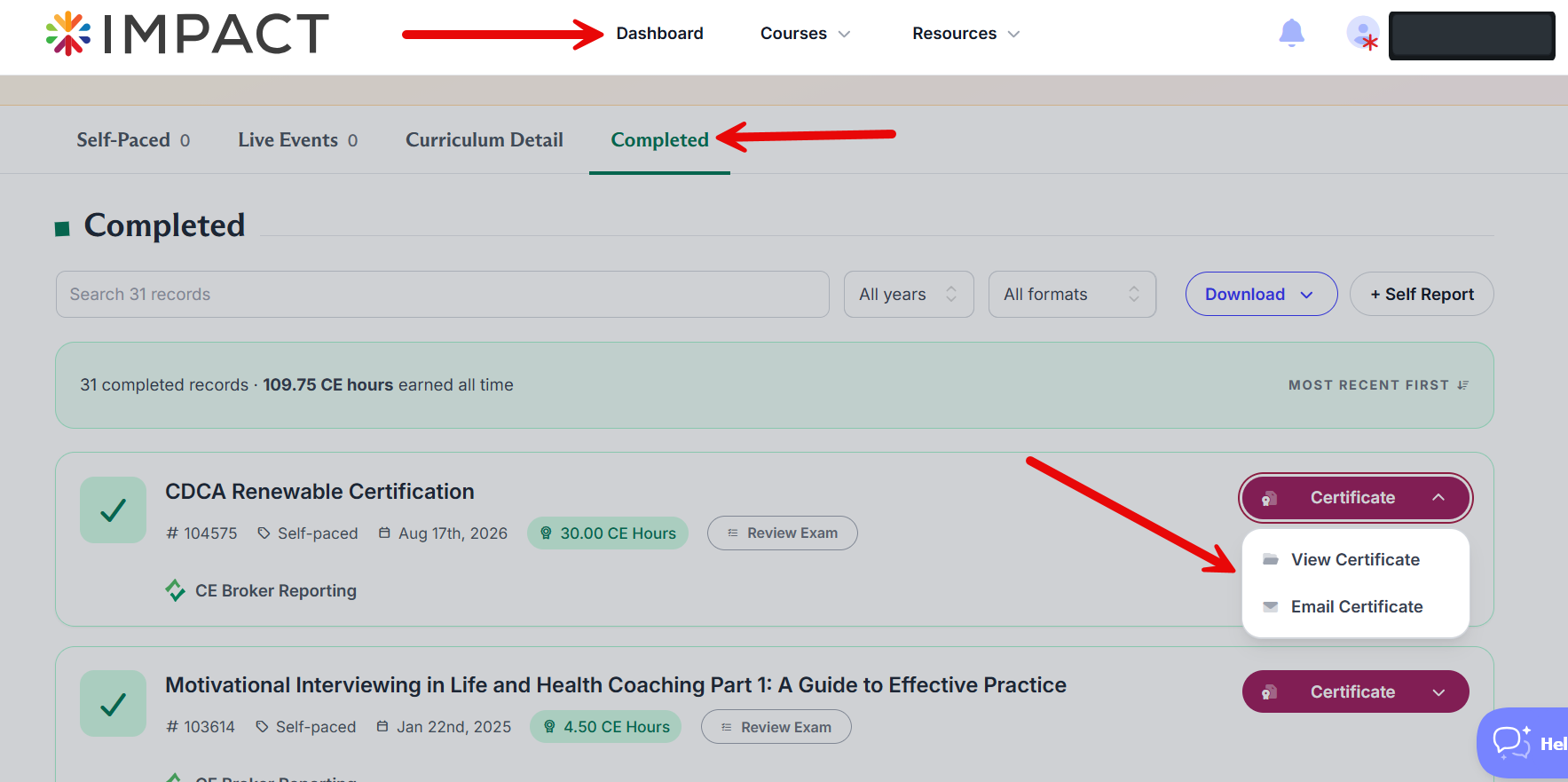
Alternatively, you can have the certificate emailed to you. Login to your member account and if you're not directed to your Dashboard automatically get to Completed in your Dashboard.

To have your certificate emailed to you, go to Completed, where you will see the courses you have completed along with two buttons in the certificate column. Click on the email icon. When you get the certificate email, the certificate will be included as an attachment. Just double-click the attachment to open it.
If you still have trouble, you may find that reinstalling Abode Reader is the best solution. It’s a free download. You can get the latest copy of Adobe Reader at www.adobe.com.
Questions? Comments?
We're here to help. Contact us using the Help icon at bottom-right of the page, call our live support at 1-888-459-1680 M-F 7:00 AM PST - 4:00 PM PST, click this link to Contact Us or email us at [email protected]. We have staff ready to assist you!