
I am having trouble downloading an online article.
Occasionally you may find that a particular online article for a course doesn’t open properly in your web browser. This can be due to a variety of factors, but two solutions work for most people:First, try downloading the file. To do this, right-click (cmd+click on Mac) the Get Course Material link and select Save Target As (or the equivalent). Save the file to your desktop, and then open that. This solution seems to be most helpful for those using a dial-up modem connection accessing a larger article.
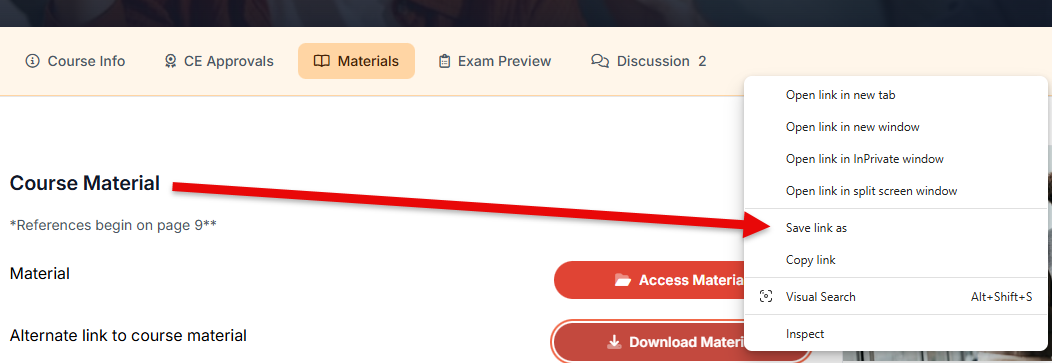
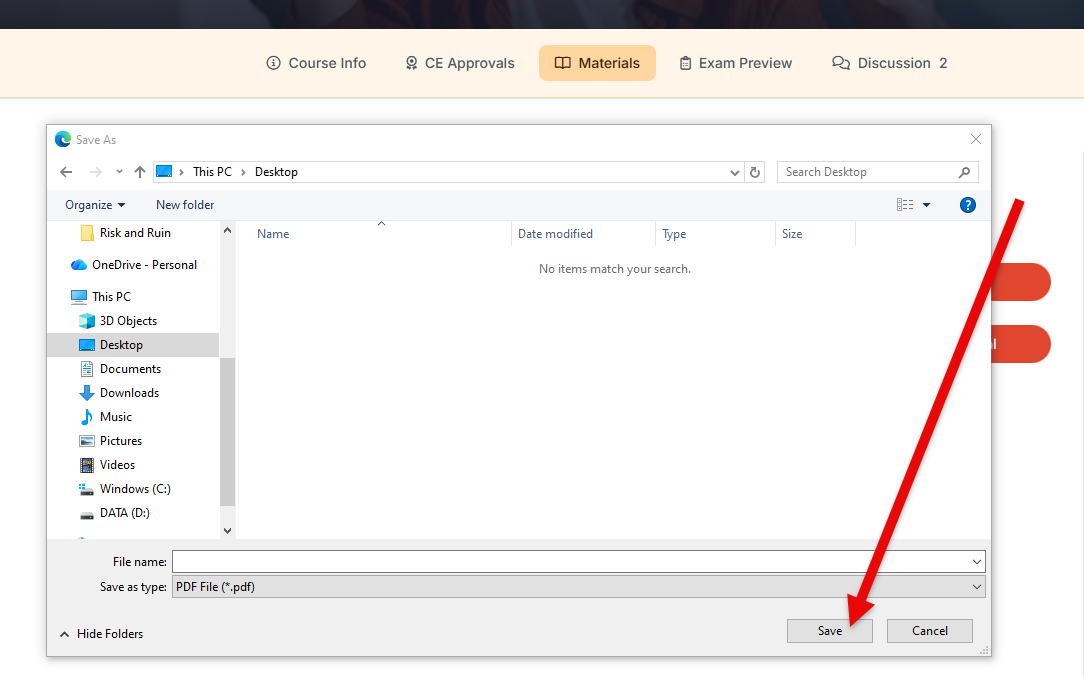
Secondly, you may benefit from updating your Adobe Reader program. It’s a free download. Go to http://adobe.com/reader and click the Download Reader link.
Questions? Comments?
We're here to help. Contact us using the Help icon at bottom-right of the page, call our live support at 1-888-459-1680 M-F 7:00 AM PST - 4:00 PM PST, click this link to Contact Us or email us at [email protected]. We have staff ready to assist you!