
How do I print my certificate after I pass the course?
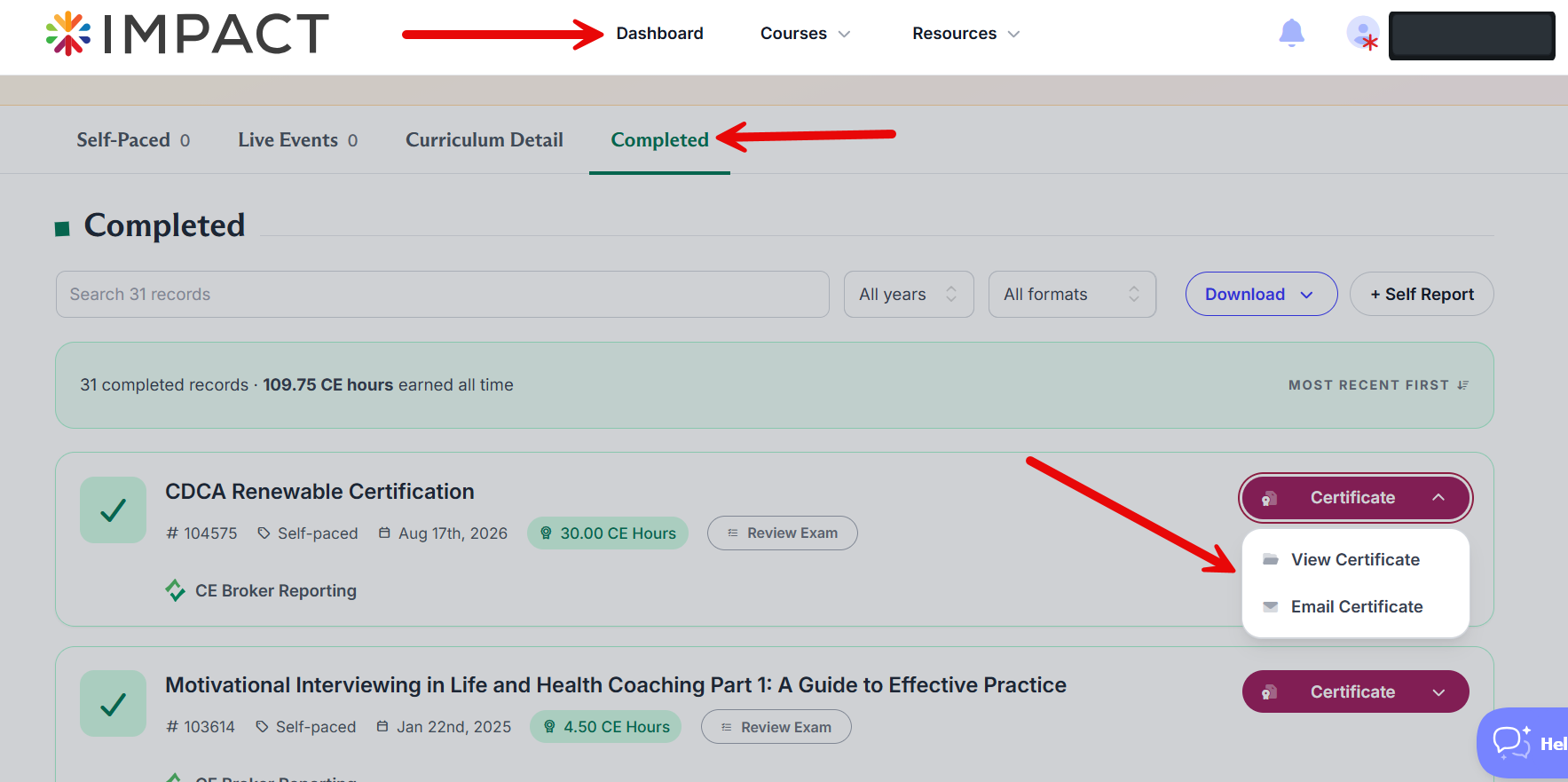
You can print your certificate any time after passing the course by going to Completed under your Dashboard.
 To the right of each completed course, you will see a Certificate button. From here, you can opt to View Certificate or Email Certificate.
Questions? Comments?
We're here to help. Contact us using the Help icon at bottom-right of the page, call our live support at 1-888-459-1680 M-F 7:00 AM PST - 4:00 PM PST, click this link to Contact Us or email us at [email protected]. We have staff ready to assist you!