
Self-Reporting to CE Broker
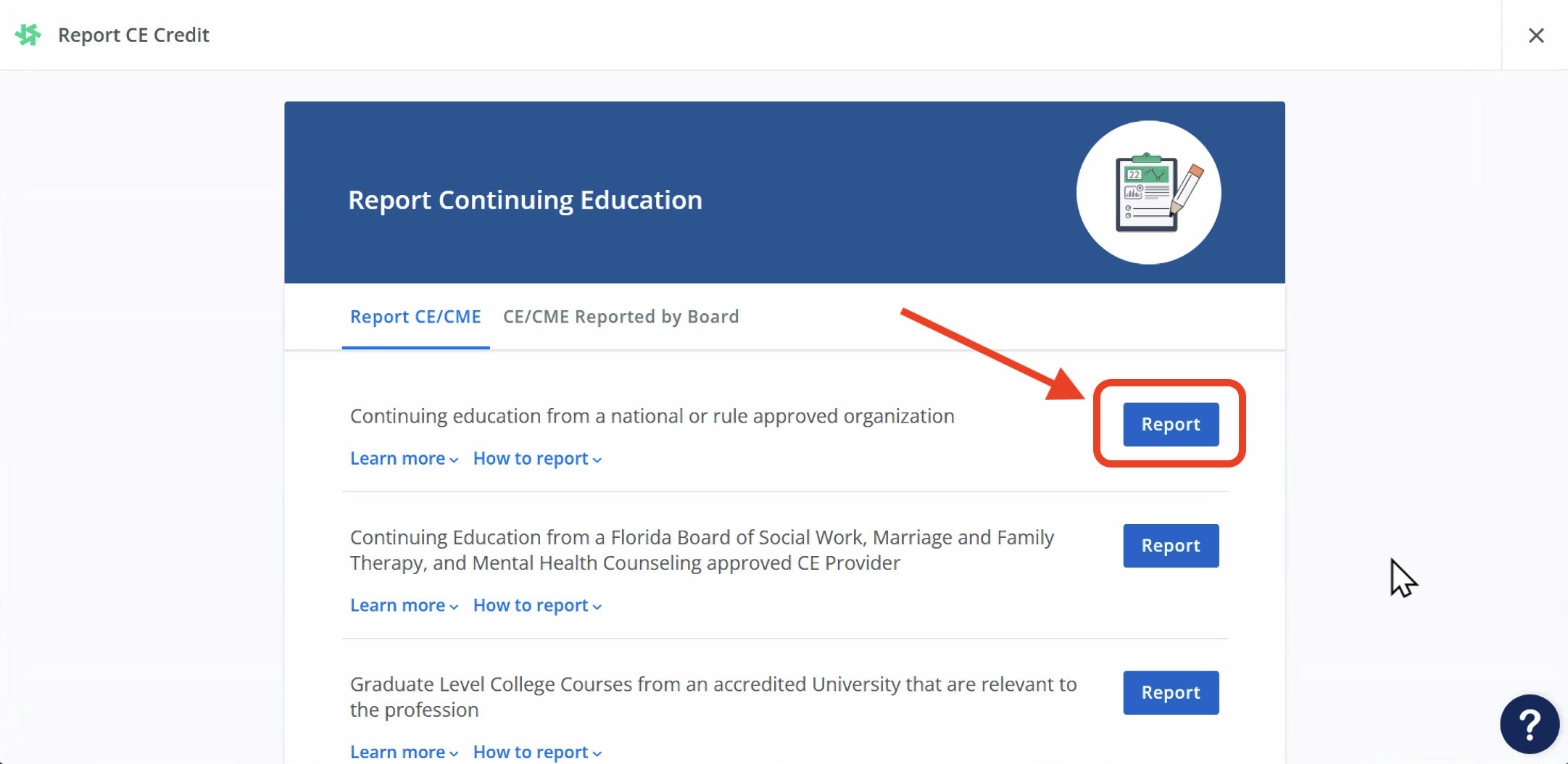
For your license, you will need to self-report your continuing education. When self reporting, please use the relevant national approval organization such as the options listed in the screenshot below.

If you are new to self-reporting with CE Broker, here are a few tips!
First, log in to your account. If you do not know your login information, please contact CE Broker's customer support at 877-434-6323 or via their contact page HERE.
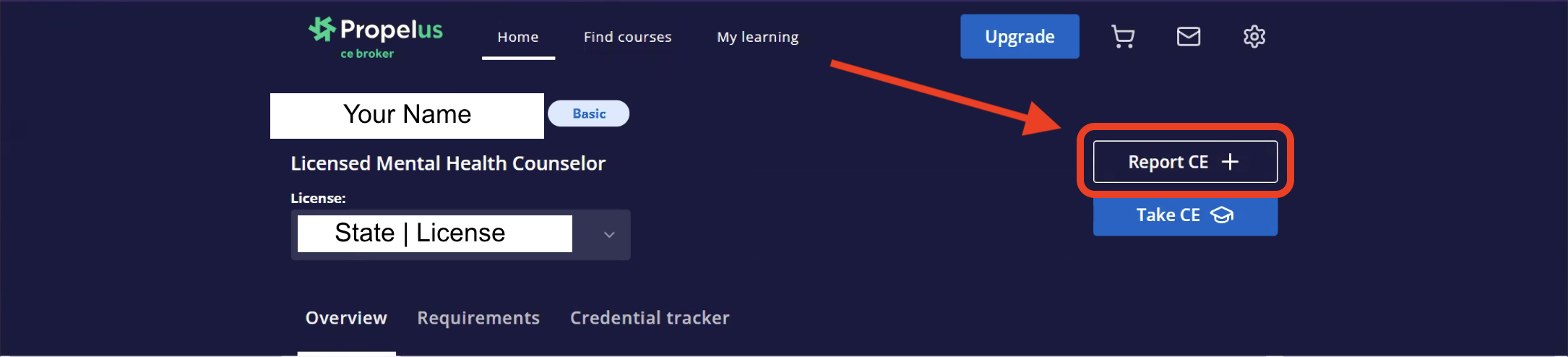
Once you are logged in, click the "Report CE +" button.
Next, click the "Report" button from the first listing for national organizations.
You will then select the information relevant to the course, such as date completed. This is the date on your CE certificate. (For some states, you might need to enter the "Subject Areas.")
Once you have submitted all the required information, your reported continuing education should appear in your CE Broker account within 24 hours.
If you have further questions on using the CE Broker system, please contact CE Broker's customer support at 877-434-6323 or via their contact page HERE.