
Team settings and account
Your team Settings & Account page
Settings & Account is the landing page for team administration. It gives you your team identity, the people who administer the team, and a quick read on your plan and seat count. Everything else in the team area is a tab or a link away from here.
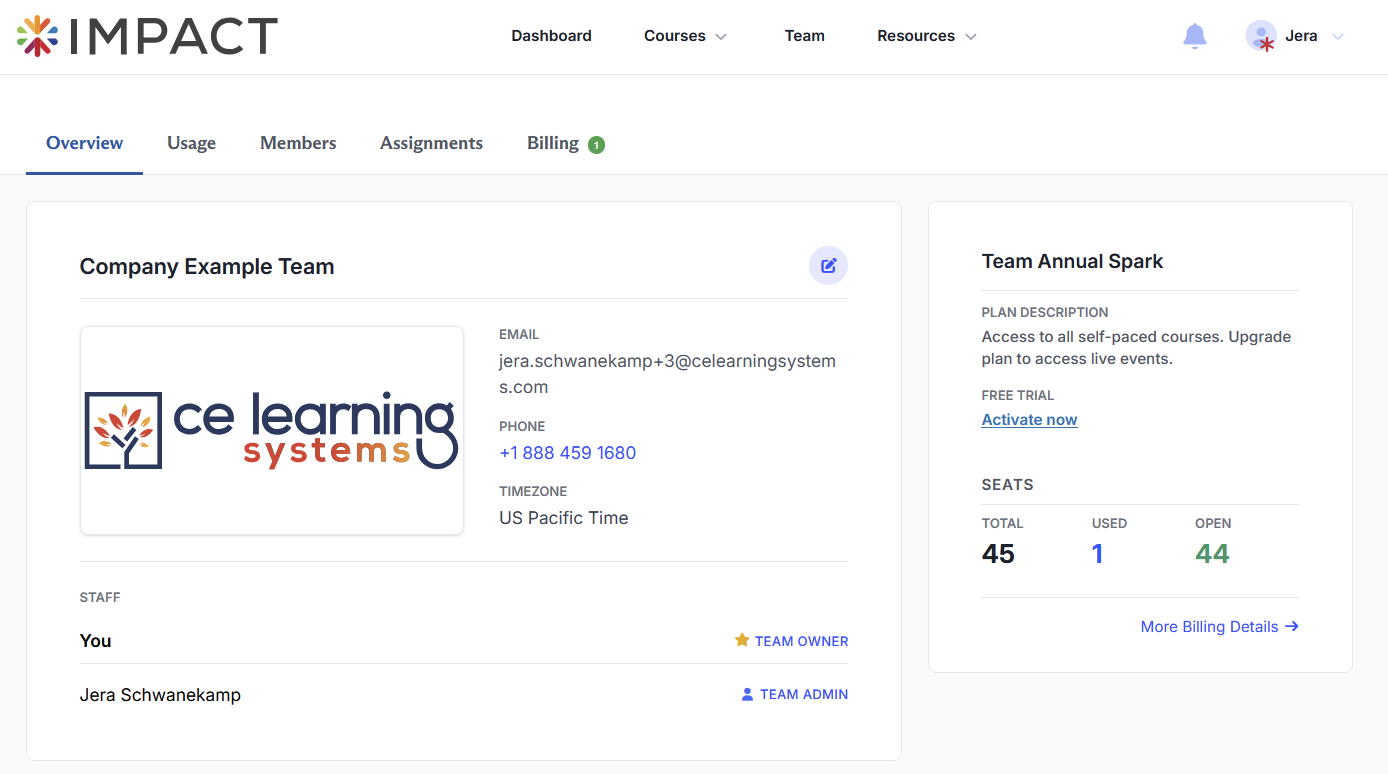
Team name and logo
Your team name appears at the top of the page and on your members' account dashboards. Below it is your team logo, which also appears on member dashboards. Uploading a logo is optional, but makes the experience feel like yours rather than ours.
Team info
Three fields sit beside the logo:
- Email: The billing email. Invoices and general team administration email go here. Make sure this is an address somebody actually monitors, since overdue invoice notices land here.
- Phone: Your team contact number.
- Timezone: The timezone used for dates shown across the team area.
Staff
The Staff section lists everyone with an administrative role on the team, along with their role badge. The Team Owner shows a yellow star and the TEAM OWNER label. Admins show a person icon and the TEAM ADMIN label.
If this list only has one name on it, consider adding a second administrator so your team is not dependent on a single person. See Team roles and permissions.
Plan and seats
The right side of the page summarizes what you are paying for.
Screenshot placeholder plan and seats panel showing PLAN DESCRIPTION, RENEWAL DATE, RENEWAL SEATS with the pencil icon, the SEATS row with TOTAL, USED and OPEN, and the More Billing Details link
- Plan description. What your current plan includes. A Spark plan reads "Access to all self-paced courses. Upgrade plan to access live events."
- Renewal date. The date your team renews. This date is fixed and does not move. If you're on a free trial, that will show up instead of your renewal date.
- Renewal seats. The number of seats that will be billed at your next renewal. The pencil icon next to it lets you change that number.
- Seats. A three number tally: Total seats you hold, Used seats currently assigned to members, and Open seats available to hand out.
More Billing Details at the bottom takes you to the full Billing page, with your payment method, invoice history, and tax documents.
Seats are the concept most worth understanding before you do anything else. See How team seats work for the full picture.
Questions? Comments?
We're here to help. Contact us using the Help icon at bottom-right of the page, call our live support at 1-888-459-1680 M-F 7:00 AM PST - 4:00 PM PST, click this link to Contact Us or email us at [email protected]. We have staff ready to assist you!